
Disclosure: This guide may contain affiliate links and ads. When you click on a link and make a purchase, PublisherCraft may earn a small commission at no extra cost to you. I only mention tools, platforms, and resources I think are genuinely useful, and my opinions are my own.
You have searched for how to self publish a book; you have probably found a frustrating pattern across the web. A few answers start in the middle; others only describe the starting points without proper endings! One article says buy an ISBN, another says no, you never do, a third is all about this step and that step, full of promotional fluff. You are overwhelmed with no actual practical steps stated. Who knows, by tab ten you are surprisingly holding a manuscript while you do not know what comes next.
Hey, it’s alright; that overwhelm is normal. The reality is publishing a book is not merely a single task, but a dozen: planning, writing, editing, formatting, cover design, ISBNs, uploading, pricing, launching. Each task or stage has its own vocabulary and its own ways to go wrong.
Over the past 7+ years of ghostwriting for authors, formatting interiors, designing covers, and providing self-publishing support, I have realized the same avoidable mistakes cost people months and hundreds of dollars. This is the ultimate guide I wish every first-time author could read before spending a cent.
Here’s what I promise: I’ll be walking you through the whole ecosystem of self-publishing a book (from A to Z). Once you finish reading, you’ll clearly know how do you publish a book on your own terms, how much it costs, and which platforms to use. Whether you do all of the steps yourself or hand parts to professionals, you’ll stop juggling disconnected freelancers and work from one clear plan.
Ready? Let’s jump in.
The Short Version: How to Self Publish A Book in 7 Steps
- Choose your route, set a budget, define your audience, and craft an outline.
- Finish the draft.
- Revise your manuscript.
- Get it professionally edited or do this yourself again (second edit).
- Format the interior and design the cover.
- Sort out your ISBN, description, and metadata.
- Upload to a platform such as Amazon KDP, IngramSpark, or Lulu. Then order a proof copy, publish, and launch.
Table of Contents
Chapter 1: Strategy and Planning: How to Self Publish a Book Starts With a Plan
Many successful self-publishers spend time on strategy first. In this phase, an author makes a handful of decisions that shape everything after it. Before you start working on your book, let’s explore the difference between self-publishing and traditional publishing.
Self-Publishing Vs. Getting A Book Published Traditionally
Traditional publishing is what most people picture in their minds when they ask how to get your book published. Through the traditional route, an author has to pitch agents with a query letter, the agent pitches publishers, and a publisher who finally buys the book handles editing, design, printing, and distribution. Literary agents typically take about 15% of the royalty (lifetime) earned from selling a book. The publisher often pays the literary agency the full earnings; the agency deducts its 15% commission and sends the remaining 85% to the author. The most surprising part is landing a deal with agents, which often takes a year or more. A successful deal gives the publisher the final say on title, cover, and price.
Self-publishing flips that: you gain the full creative control and a larger share of the profits earned from selling your book. However, with self-publishing, you won’t get free editing, formatting, or publishing, as you would with traditional publishing. Either you have to handle all the tasks yourself, or you may want to hire professionals where you think appropriate. Traditional publishing offers a notable advantage: a bookstore deal and an advance.
Set A Realistic Budget
The platforms are completely free; a professional book isn’t. Below is a rough cost approximation in US dollars for a book of 50,000 words (Traditional Novel Baseline-This word count meets the minimum traditional book publishing specifications) in case you consider hiring professionals. The cost plan shows approximate minimum and maximum based on competitive market prices (mid-level to top-rated professionals). Highly experienced (pro) vetted freelancers may charge more.
| Expense | Typical range |
| Ghostwriting | $1000 – $3250 |
| Developmental Editing | $500 to $1500 |
| Line editing+ copyediting | $300 – $1250 |
| Proofreading | $150 – $850 |
| Cover design | $30 to $150 for a custom professional cover |
| Interior formatting(Single version; ebook or print) | $100 – $500 |
| ISBN | $39 – $125 |
| Platform upload | $0 |
| Proof copies | A few dollars each plus shipping |
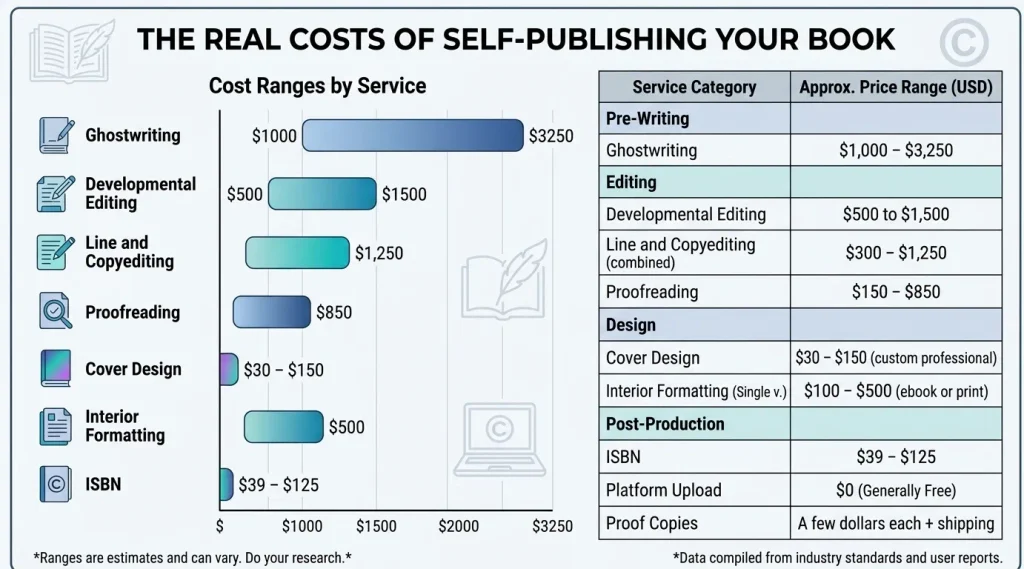
All in, a polished first book often costs between zero and a few thousand bucks, depending on how much you do yourself.
Read the full guide → How Much Does It Cost to Self-Publish a Book? (A Detailed Cost Breakdown)
Define Your Reader, Title, and Outline
Ask yourself what the book is for: a business calling card, passive income, a legacy project, or a novel series. Then get specific about your reader. The target reader note should not sound like “Everyone who likes history”; instead, “adults who want a short, practical guide to tracing their family tree”. That’s called specificity!
Next, brainstorm and test your title & subtitle. For nonfiction, the subtitle typically tells who the book is for and what it delivers; for fiction, signal genre and tone.
Then write a book outline. Even instinct-driven writers need a roadmap so that it keeps the author’s pen/keyboard going till the end; otherwise, a 50,000-word project may get stuck halfway.
Chapter 2: Writing and Editing
This is where many find it overwhelming to complete even a few stalls around for a long time. But writing a book is less about talent than a repeatable routine.
Write the Draft (and Let It Be Ugly)
As a rough estimate, novels are usually 70,000 to 100,000 words long, while a practical nonfiction book is 40,000 to 60,000 words. Make a routine for writing besides your other daily work. If you cannot work on weeks continuously, then divide the weeks and determine which weeks you can work on. Writing only 500 words daily will add up to a 45,000-word draft in about three months. Maintain your schedule and do not edit when you draft. Finish the draft without any edit interruption because an imperfect completed manuscript easily wins over a perfect first chapter. What if you have the expertise but not the time? Finding a ghostwriter can be your legitimate and common route.
Revise, Then Edit
Before you pay a single dime, consider conducting one full revision yourself. Don’t start the self-editing immediately after finishing the draft; rather, take a break, then hover over the manuscript carefully on a different device. You can share it with a few beta readers as well from your target audience. The following edits you may want to have on your manuscript:
- Developmental editing is the first and most intensive stage–focusing on the big picture of the manuscript, covering structure, pacing, and whether the book delivers on its promise.
- Line editing is a sentence-by-sentence review that refines the style, clarity, word choice, rhythm, and flow of the write-up.
- Copyediting polishes sentences, grammar, and consistency.
- Proofreading is the final typo check after layout.
Hire a professional editor for a second round of deep editing, or do it yourself again. If you choose to do it yourself, take another break before you do, just like you did the first time. This break is known as a cooling-off period as well.
Self-published authors who skip the editing process often earn bad reviews. Readers might forgive a plain cover more readily than a manuscript full of errors!
Five Mistakes that Trip Up First-time Authors
- Skipping professional editing, so typos and weak structure undercut book reviews.
- Choosing a cover that ignores genre conventions.
- Self-formatting while leaving tabs and blank lines unnecessarily throughout the manuscript.
- Taking a free ISBN or exclusive distribution without knowing its limits.
- Launching with no plan: a generic description, weak keywords, and no early readers.
A Quick Word on AI Tools
After the arrival of AI, KDP asks authors to tick a box whether they used AI to produce something for the book. The rules have been tightened, so I would suggest you read KDP’s current content guidelines. In case any of your text, images, or translations were AI-generated, even if you edited them, disclosing it is safer.
💡 STRUGGLING TO PIECE IT ALL TOGETHER?
From magnetic titles to full interior formatting and stunning cover design, PublisherCraft offers an end-to-end publishing solution. Hand your manuscript to one dedicated partner.
👉 Explore Our Complete Publishing Services (Escrow Protected)
Chapter 3: Formatting and Design Layout
Readers judge a book in about three seconds, by its cover and its first page.
Interior Formatting
Good formatting is invisible. The key decisions:
- Trim size. Common paperback sizes are 5″ x 8″, 5.5″ x 8.5″, and 6″ x 9″.
- Margins and gutter. The inside margin needs to be a bit larger than the top, bottom, and left margins so text doesn’t vanish into the binding.
- Typography. A readable serif, consistent spacing, and clear chapter openers.
- Front and back matter. Title page, copyright page, acknowledgement, foreword, about the author.
- Ebook vs. print. Ebooks reflow to the reader’s device; print pages are fixed. You need to prepare and upload the files separately using their own specifications.
The most popular software for formatting books are MS Word, Adobe InDesign, Canva, Calibre, Kindle Create, Affinity Publisher, Atticus, Vellum (Mac only), and so on. Use your preferred tool to format your manuscript yourself, but make sure you avoid tabs for indents and blank lines for page breaks, since they both break after you upload the file to the platform and the system converts them. Printing cost relies on page count; as such, formatting affects profit, not just looks.
Cover design
A print cover is one wraparound file: front, spine, and back. Dimensions depend on manuscript trim size, page count, and paper. Before you prepare the print cover, have a look at your platform’s cover template guidance or use its cover template generator. A short book blurb and a small author bio are used often by the authors on the back cover. An ebook cover is a separate, front-only image. Check current specs of the platforms’ ebook cover, like which file formats (i.e., JPG) it accepts, the image size, etc.
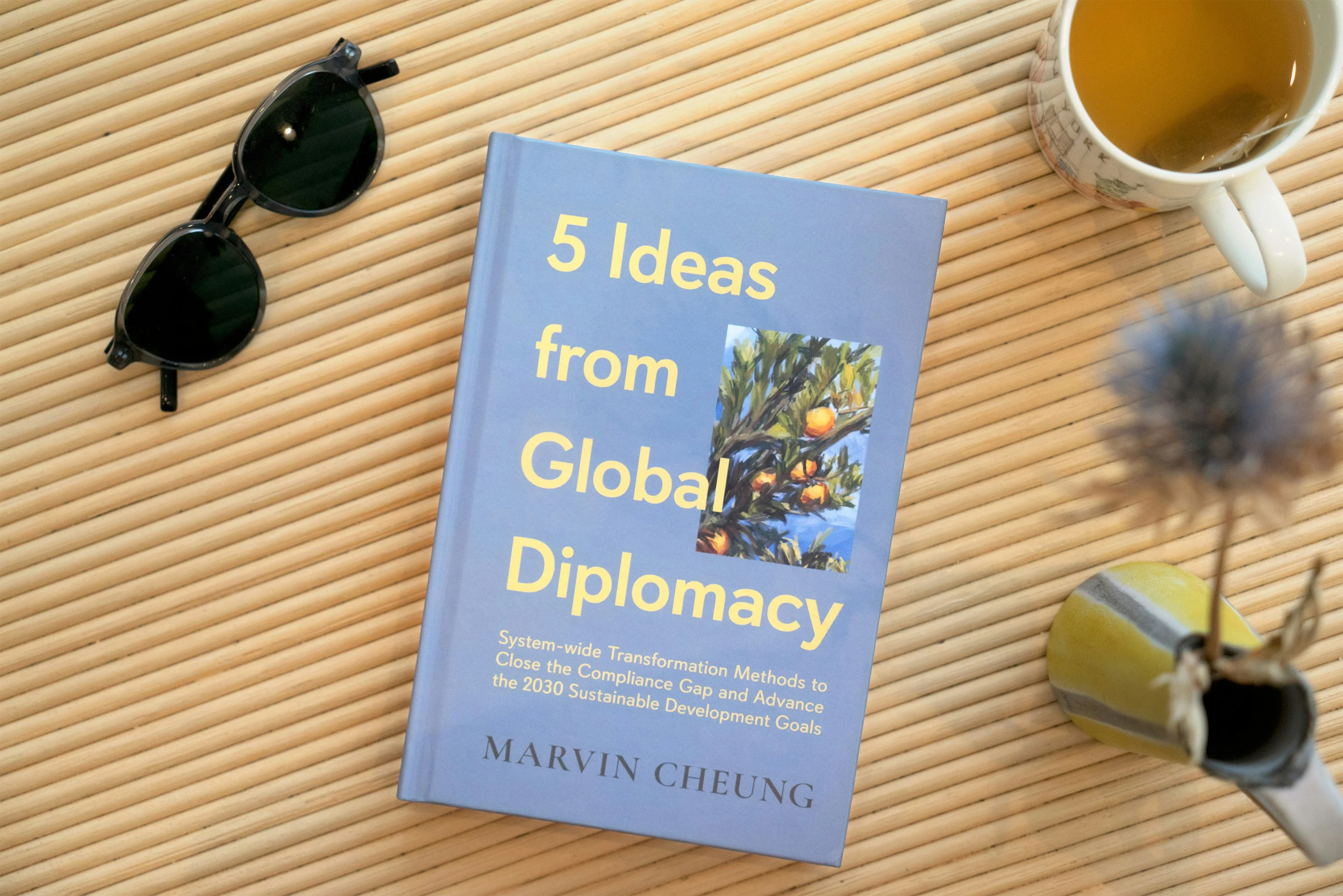
Ensure your cover depicts its genre, passes the thumbnail test (readable as a tiny search-result image), and overall it looks professionally made. Authors who prefer DIY and have a tight budget use Canva to prepare their cover. However, investing a few dollars and hiring a professional can help you make a stunning cover that easily stands out in the crowd.
Chapter 4: Uploading and Publishing Platforms: How to Self Publish a Book on KDP, IngramSpark, and Lulu
You have written, edited, and formatted your manuscript, and your cover is ready as well. Now comes the answer to your precise question “how do you publish a book?” Choose the right platform(s), set the price, prepare metadata, and hit the publish button.
Amazon KDP: Known as the retail Behemoth for its maximum speed, simplicity, and dominant visibility as the world’s largest book marketplace. It is completely free and beginner-friendly. The platform offers the lowest per-unit printing costs for standard books, though its physical print quality is average.
IngramSpark: The Industry Gateway. Built strictly to act as a B2B distributor rather than a consumer storefront. It integrates directly into the global Ingram Book Group catalog, granting seamless purchasing access to over 40,000 brick-and-mortar bookstores, indie shops, and libraries.
Lulu: The Artisan & Direct-to-Consumer (D2C) Specialist. Built for creators who prioritize premium, custom print formats (like spiral binding or photo-grade paper) and want to sell books directly via their own websites or social channels.
The three renowned POD platforms at a glance:
| Amazon KDP | IngramSpark | Lulu | |
| Upfront cost | $0 setup and revisions | $0 setup and revisions | $0 setup and revisions |
| Best for | Amazon sales and ebooks | Bookstores and libraries | Selling direct |
| How you earn | Ebook 70% or 35%; print 60% or 50% of list price, minus print cost | List price minus wholesale discount, 1.875% fee, and print cost | 80% after print cost on the Lulu store |
| ISBN | Free print ISBN or your own | Your own or free (U.S. Publishers Only) | Free option or your own |
Do You Need an ISBN?
An ISBN identifies one edition, one language, so each format needs its own.
- Ebook on KDP only: not needed; Amazon assigns its own identifier.
- Print: The free ISBN provided by the POD platform works, but the provider platform will be the publisher of record, and you can’t use it (ISBN) elsewhere.
- Bookstores or libraries: buy your own. PublishingSpot charges only $39 for an ISBN, while Bowker charges $125 for one or $295 for ten, and ISBNs don’t expire.
Set up Your Metadata, Description, and Price
Metadata controls whether readers find you. Your title and subtitle that you put in the platform metadata fields need to match the cover exactly.
Write a compelling book description. Open with a hook, show what the reader gains, and close with an invitation to read. Choose the most specific categories and subcategories that honestly fit.
Research and find potential keywords that people often search for around your book. By inserting appropriate keywords in the slot (i.e., KDP allows seven keywords), your book can easily be discovered in the platform search bar and search engines. Price against similar books, making sure your paperback clears its printing cost.
Preview, Publish, Proof, Launch
Before you publish a book for the world, launch the previewer, see if there are any errors, correct them, and reupload the files. For print publishing (paperback or hardcover), order a printed proof copy since margins, colors, and cover alignment may look different on paper. Self-publishing platforms commonly approve titles within about 72 hours, sometimes longer, so don’t schedule launch day for submission day.
Ta-da, you are done with publishing!
Send advance copies to a few readers and ask for honest reviews. Never look for paid reviews; it can get your account banned. Set up your author page (in KDP, it’s known as Amazon Author Central) in your publishing platform (s). Set up your email list and give your book a home on your own author website.
Summary: Your Self-Publishing Checklist
Phase 1: Strategy and planning
- Choose your route and set a budget
- Define your reader, test your title, and outline the book
Phase 2: Writing and editing
- Draft to a word-count target, then revise yourself and gather beta feedback
- Book developmental editing, line editing, copyediting, and proofreading
- See what mistakes first-time authors often make
- Review KDP’s AI disclosure rules
Phase 3: Formatting and design
- Choose a trim size and format the interior for print and ebook
- Design a catchy cover
Phase 4: Publishing and launch
- Choose your platforms and decide your ISBN approach
- Complete metadata, set your price, and check the royalty math
- Preview, publish, order a printed proof, and launch
Conclusion: Your Book Is Closer Than You Think
Publishing a book is a process, not a mystery. It may seem overwhelming due to having many stages in the process, but each stage is learnable. Know that every published author who has a book on a shelf got there by completing all the steps in order.
Do it yourself where it makes sense, and bring in experts where it counts. If you’d rather not manage ten moving parts, that’s why PublisherCraft exists: titles, outlines, ghostwriting, editing, formatting, covers, blurbs, publishing guidance, and promotion from one dedicated partner.
👉 Explore PublisherCraft’s Complete Publishing Services
Your story deserves to be read. Let’s get it out there.
About the Author
Muradut J. is the founder of PublisherCraft, with over 7 years of experience in ghostwriting, book formatting, and cover design for self-published authors.
Connect on [LinkedIn] | [X/Twitter] | [Facebook] | [Instagram]